







Zinstall copies everything to your new computer, and makes it feel just like the old one.
Your programs, documents, music, pictures, favorites, emails, accounts, passwords, profiles, settings - and all of your files.
You can start working on your new computer right away, without spending days on setting everything up manually.
Oh, and nothing is removed from your old computer; it remains unchanged and fully functional.

You don't have to be a computer guru to do it; if you know how to download a file, you know how to use Zinstall.
The product does the transfer for you, completely automatically (see video above).
You don't need special cables; Zinstall can use your wireless (wifi) for the transfer (or even a USB hard drive).
And if you have any questions, our friendly, skilled techs are standing by to assist and guide you through.
We don't hide behind chat bots and never-ending menus; you get a human response, and human care.

Zinstall works with any Windows (including Windows 11), and with any computer.
For example, you can transfer from Windows 10 to Windows 11, from Dell to HP, from Windows 10 to another Windows 10, 7 to 11, you name it.
You can transfer to a completely different computer, different manufacturer, desktop to laptop, and any other combination.
You can even transfer directly from broken computer's drive, using Zinstall Migration Kit Pro.

We've been helping people with their transfers since 2009, using our unique technology.
Unlike other, "file mover"-style products, Zinstall transfers everything - not just files (although you can skip stuff you don't want to transfer).
And unlike companies out there, you will never be talking to a bot or sending emails to nowhere. Our Support team is staffed with professional, experienced, human techs - ready to help you out with any questions or concerns.

You don't need to listen to us. Here is a long list of reviews - including Microsoft Press books, TV items, and national press. And here are more customer testimonials. With so many years on the market, our results speak for themselves.

Jamie Glaser
"My programs were large and very professional, not simple consumer apps. I am here to tell everyone that every single program is working 100 percent. Every single shortcut is working perfectly."


Colleen Saunders
"Zinstall was amazing! Thank you very much for saving me hours of tribulation! It worked as advertised and your instructions are what did the trick."
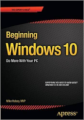
Mike Halsey
Microsoft MVP
Quote from "Beginning Windows 10"
“One of the best I’ve ever found, and that I can recommend completely, are the tools from Zinstall. Zinstall WinWin can be used to migrate from an old PC or OS to a new Windows.”

Scott Henke
Owner, Onsite Consulting
“Zinstall revolutionized our 39-year old business. It’s totally changed our company in terms of technician efficiency, completeness, and customer satisfaction."

The Seattle Times
“Zinstall WinWin is what you’ll need to transfer from one PC to another”

Bill Mael
"A couple of mouse clicks and a few hours later - DONE!! - a complete and fully functional copy of my old 'puter on the new one. No problems - password, files, everything and anything at all was transferred without incident! Way to go Zinstall!"

Michael C. Grimes, Esq.
"I had tough issues. Had to use an old backup. No muss no fuss. Got it done quickly. I'm happy as a clam. What a lucky find!"
Standard Transfer
WinWin
$129
Advanced transfer
Migration Kit Pro
$189
Can I transfer from Windows 10 to Windows 11?
Yes, Windows 10 to another 11 is fully supported. You can also transfer from Windows 10 to another Windows 10, 11 to 11 and any other combination.
Should I purchase on the old computer or on the new one?
Either one works. Typically, it is more convenient to purchase on the old one.
Do I have to purchase twice?
No, one copy is valid for both old and new computer.
How do I download on the other computer?
You can simply download it from
www.zinstall.com/download
Does it erase anything on the old computer?
No. The old computer stays exactly the same – it is not changed at all.
How long does the transfer take?
Usually, it is several hours. It of course depends on how much stuff you have to transfer, and on your connection speed.
How do I connect the computers?
No special cables required. Just get both PC on same internet (wireless or network cables). Or, you can use a USB external drive with Migration Kit Pro.
Can I use a USB external drive for the transfer?
Yes, with Migration Kit Pro – like this.

We don't hide behind chat bots and never-ending menus; you get a human response, and human care. Our techs will help you every step of the way, or even remotely over the Internet (as part of the Full Service option). Our support team is available 24x7 (by appointment out of regular business hours).